










A Revit file with a BIM1 model of a large public building can weigh 2-4 GB. Advanced moving 3D visualization of a "virtual walkthrough" or interior design represent another several hundred megabytes per frame. A presentation animation of an elaborate urban design, rendered to 4K resolution, on the other hand, is tens of gigabytes of finished material that needs to be saved somewhere efficiently, taken to a meeting and shared with the team. In the work of an architect, designer or civil engineer, data is no longer an add-on - it has become the center of the process. And that's why the medium on which this data is stored is beginning to have an importance we haven't appreciated until now.
When the disk becomes the bottleneck
For years, the standard in design offices was ordinary HDDs or - in a better case - SATA SSDs, which offered read speeds of 500-560 MB/s. For a text file, that's a lot. For modern design files - less and less.
A typical architectural project in 3D design software with full BIM documentation, family libraries and coordinated industry models takes one to several GB. A model in BIM software with loaded 3D libraries and high-quality visualizations can be even heavier. On top of that, there is technical documentation in DWG and PDF format, texture and material libraries, reference and archive photos, exported animations and backups of successive versions of the project.
Working with such an environment on a SATA drive is a daily wait: to open the project, to render the preview, to export the file to PDF, to synchronize the model with the cloud. Each of these steps separately takes a few seconds. Over the course of a workday, this adds up to a real waste of time and, more importantly, distractions at times that require focus.
PCIe 5.0 in the design studio
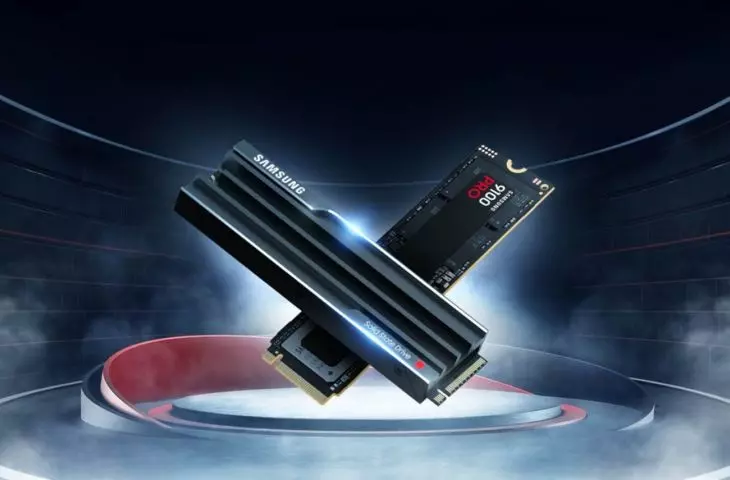
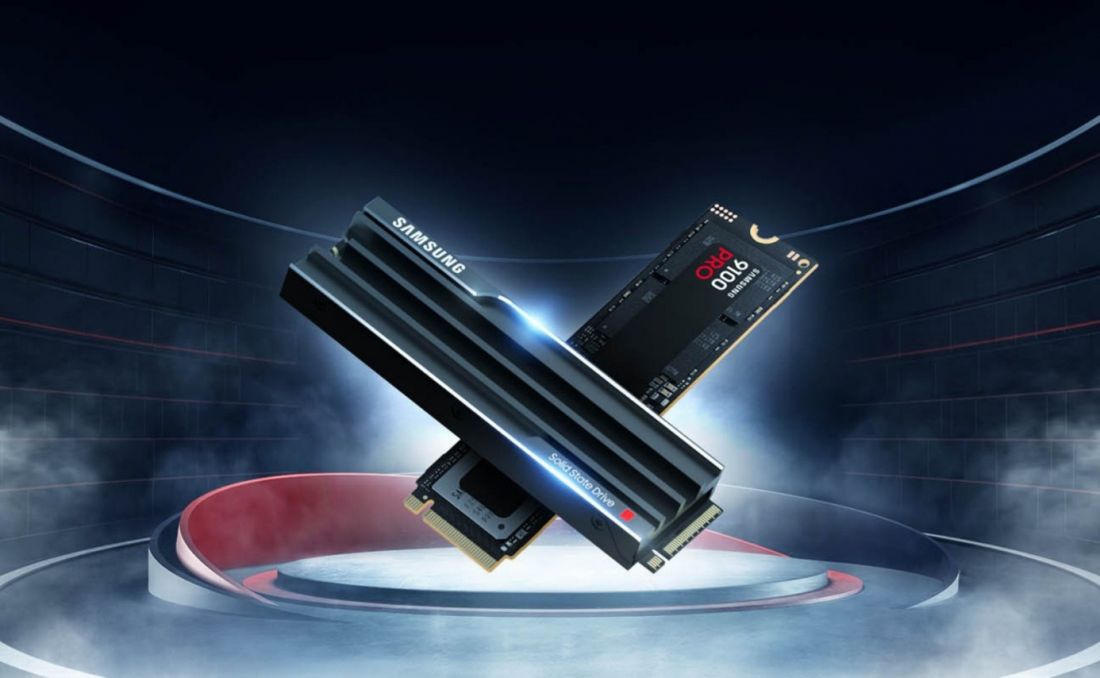
TheSamsung 9100 PRO is a next-generation SSD that runs on the PCIe 5.0 standard and NVMe 2.0 protocol. What does this mean in practice? Sequential read speeds reach up to 14,800 MB/s and write speeds up to 13,400 MB/s2. For comparison - the fastest drives of the previous generation (PCIe 4.0) reached about 7400 MB/s. That's more than double the difference.
The numbers are impressive on paper, but in design work they translate into concrete situations. Opening a complex BIM model, which took several seconds on a SATA drive, on PCIe 5.0 media takes a fraction of that time. Throwing hundreds of RAW photos into a graphics program or a library of textures into a visualization software, similarly. Exporting a finished presentation animation after nighttime rendering - instead of a lengthy copy to external media: an instant save.
The 9100 PRO drive is available in 1TB, 2TB, 4TB and 8TB capacities. The largest variant is the answer to the needs of studios that archive large amounts of design data directly to local media: multi-year design assets, archives of renders, images of documentation of implementation. The drive is also available in versions with a built-in heat sink(heatsink) - an important element for such high performance, as thermal management prevents speed limitation under load(throttling).
Source: Samsung Electronics
It's worth noting: in order to take advantage of PCIe 5.0 capabilities, a workstation must have a suitable motherboard with an M.2 slot supporting PCIe Gen 5. Intel's 14th generation processors and AMD Ryzen 7000 series and later meet this condition. For studios planning to upgrade equipment or purchase new workstations - this is a natural step when choosing a platform.
Tasks that require more
Before we move on to external drives, it is worth naming specifically the work environment in which the drive makes a difference. Architects and designers today face several types of tasks, and each of them puts a different strain on storage.
BIM modeling is standard in most offices today. The entire project, geometry, technical data, schedules, cost estimates, sit in one central file that grows with the investment. For large facilities, such a file can weigh several gigabytes. Working in the cloud adds to this synchronization, and each model update between teams is an operation that a fast disk reduces from minutes to seconds.
Parametric modeling and designing complex geometry works differently. Source files are sometimes lightweight, but exports to rendering engines swell to tens of gigabytes. Facades, spatial installations, custom objects require iteration, and each iteration is another record.
Photorealistic rendering is the most disk-intensive process in daily work. Writing successive frames of animation, cache management, export of finished material, all put a continuous load on the media. A slow disk turns a render from a few hours into an overnight job.
Real-time visualization, on the other hand, relies on libraries of 3D assets, vegetation, furniture, vehicles, characters. The libraries take up many gigabytes and must load instantly. Every second of waiting for a preview interrupts creative work.
2D technical documentation seems the least demanding until the project consists of dozens of related external drawings. It can take as much as the blink of an eye to open a master file with a hundred references on a fast drive.
Data in the field: T9 and T7 as a mobile project archive
The work of an architect and engineer is not just in the office. A visit to a construction site, a meeting with an investor, a presentation to an office, consultations with a general contractor - in all these situations you need access to up-to-date data: drawings, models, visualizations, photographic documentation of the implementation.
This is where Samsung T9 and T7 external drives - portable SSDs designed for mobile work- come onto the scene.
Source: Samsung Memory (unsplash.com)
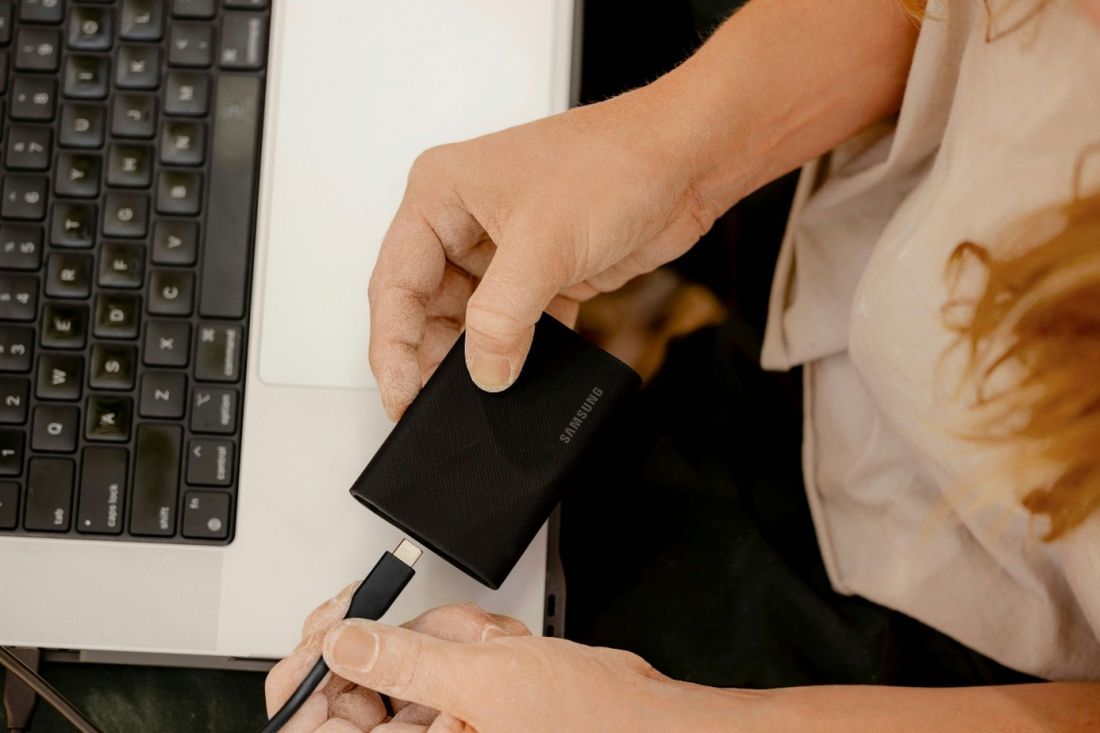
The Samsung T9 is a USB 3.2 Gen 2x2 device, offering sequential read and write speeds of up to 2,000 MB/s. That's almost twice as fast as the previous T7 model. As a result, the transfer of a large project file - such as 4 GB - takes literally seconds. The T9 is available in 1TB, 2TB and 4TB capacities. The casing is rugged and resistant to drops from heights of up to 3 meters3 - which is of practical importance in construction or field inspection conditions. The dimensions of the device are about the size of a business card, while the weight is 122 grams. Samsung's Dynamic Thermal Guard technology prevents overheating during intensive transfers, so the drive maintains full speed throughout copying large files4.
Source: Samsung Memory (unsplash.com)
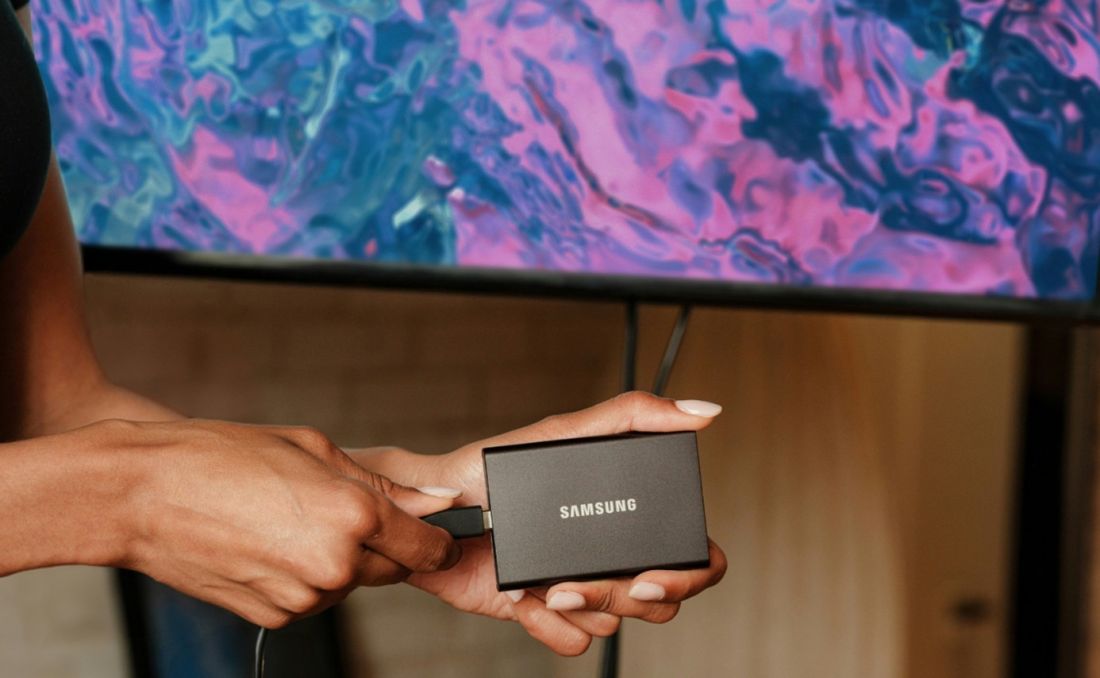
TheSamsung T7 is for those looking for an even more compact solution. With read speeds of up to 1,050 MB/s and write speeds of up to 1,000 MB/s, the T7 is significantly faster than HDDs and many older SSDs. It is available in capacities up to 4 TB5, weighs less than 60 grams6 and fits in a work jacket pocket. The T7 Shield - a ruggedized version of the series - additionally offers a rubber coating and splash resistance, which comes in handy in outdoor environments7.
Both models use 256-bit AES hardware encryption, which protects data if the device is lost or stolen. In the context of project documentation, which often contains data covered by confidentiality agreements with the developer, this is an important security feature. It's supported by Samsung's Magician software, which enables drive health monitoring, benchmarking and firmware updates, available for Windows, macOS and Android.
What it looks like in practice
Imagine a typical day working on a public tender. In the morning - work on the workstation: revisions to the BIM model, updating documentation, exporting DWG drawings for consultation with the designer. At noon - meeting in the investor's office, presentation of visualizations and animations. In the afternoon - a trip to the construction site and consultation with the works manager on the current status of the project.
In this scenario, the 9100 PRO internal drive makes work on the workstation without downtime - the model opens quickly, preview rendering does not hang the screen, export of finished files does not require planning over coffee. The T9 or T7 accompanies you out of the office - it contains up-to-date project documentation, visualizations for presentations, photos from the realization, and, if necessary, accepts new data from a smartphone, laptop or camera directly on the construction site.
Capacity as an argument
One of the practical problems facing project offices is managing the data archive. Projects do not end when the building is accepted - project materials must be stored for many years, and there are returns to closed projects: adaptations, extensions, legal proceedings, as-built documentation.
The Samsung 9100 PRO in the 8 TB version allows you to store huge resources locally without the need for continuous archiving on external media or the cloud. The 4TB version of the T9 external drive acts as a mobile backup of active projects - capacious enough to hold everything needed at any given stage of execution.
The option to have your own copy of data - independent of your cloud provider - is an argument for both security and cost. In office environments where many files are available offline, or where company policy restricts the storage of project data outside the client's infrastructure, local storage with high capacity and high reliability is a practical necessity.
Speed you can rely on
In creative work, time is not just money - it is, above all, a condition of focus. An architect in the middle of a conceptual process who interrupts his thinking to wait for a file to load or a preview to render isn't just losing seconds. He loses threads.
Samsung's SSDs - both the internal 9100 PRO series and the external T9 and T7 - are designed for users for whom performance is not a gadget, but a working tool. Read speeds of nearly 15 MB/s8, stable operation under load thanks to Dynamic Thermal Guard, data encryption on the mobile model and a multi-year manufacturer's warranty - these are parameters that make sense in a professional environment.
For an architect, designer or engineer who chooses work tools with the same care with which he selects other professional instruments - a modern SSD is an investment that pays off every day.
Source: Samsung Poland (youtube.com)
***
Samsung SSD 9100 PRO is available in 1TB, 2TB, 4TB and 8TB capacities, with and without heatsink, in M.2 format 2280, with PCIe Gen 5.0 x4 NVMe 2.0 interface. Samsung T9 Portable SSD is available in 1TB, 2TB and 4TB capacities, with USB 3.2 Gen 2x2 interface. The Samsung T7 Portable SSD is available in capacities up to 4 TB, with USB 3.2 Gen 2 interface. Details of the Samsung drives are available at www.samsung.com/pl/memory-storage/all-memory-storage/.
For more information, visit the company's SAMSUNG page on the A&B portal.
1 An intelligent 3D digital model of a building that includes not only the geometry (shape), but also detailed technical information about each component of the structure
2 Sequential and random write performance was measured with Intelligent Turbo Write technology enabled, which works only with a certain amount of data transferred. Performance depends on the SSD firmware, hardware and system configuration, and other factors. Detailed information is available from your local service center. To maximize the 9100 PRO drive's performance, check whether your system supports PCIe® 5.0 on the Intel or AMD website.
3 Test was conducted under controlled laboratory conditions (free fall on a metal plate).
4 Actual performance may vary depending on usage conditions, including ambient temperature, hardware configuration, host interface, file size and type, and transfer length. Dynamic Thermal Guard technology helps maintain optimum operating temperatures, but under extreme conditions, speed may be reduced to protect components.
5 Capacities of 1TB, 2TB and a 4TB variant are available for the T7 Resurected version.
6 The T7 Resurected version weighs 72 grams.
7 The device complies with IP65, as confirmed by internal testing under controlled conditions. The degree of water and dust resistance may vary depending on actual use conditions. Damage caused by liquids and dust is not subject to warranty. *Test conditions for IPX5 standard: the device was exposed to fresh water released from a nozzle (Φ 6.3 mm) 3 meters away at 12.5 l/min for 3 minutes. Test conditions for IP6X: placed in a vacuum chamber, the device was exposed to 2 kg/m³ of active dust at a pressure of 2 kPa for 8 hours.
8 Sequential data read speed indicator for Samsung SSD 9100 PRO.